The NHS App allows you to access a range of NHS services. You can download the NHS App on your phone or tablet. You can also access the same services in a web browser by logging in through the website
NHS App
What is the NHS app?
You must be aged 13 or over to use the NHS App. You also need to be registered with a GP surgery in England or the Isle of Man. Find out more about who can use the app
How to prove who you are
You can prove who you are using photo ID or your registration details for your GP surgery’s online services.
Use photo ID to prove who you are
What to do if you do not have photo ID
What you can do with the NHS app
You need to prove who you are to get full access to the NHS App. With full access you can:
- Order repeat prescriptions and nominate a pharmacy where you would like to collect them
- Book and manage appointments
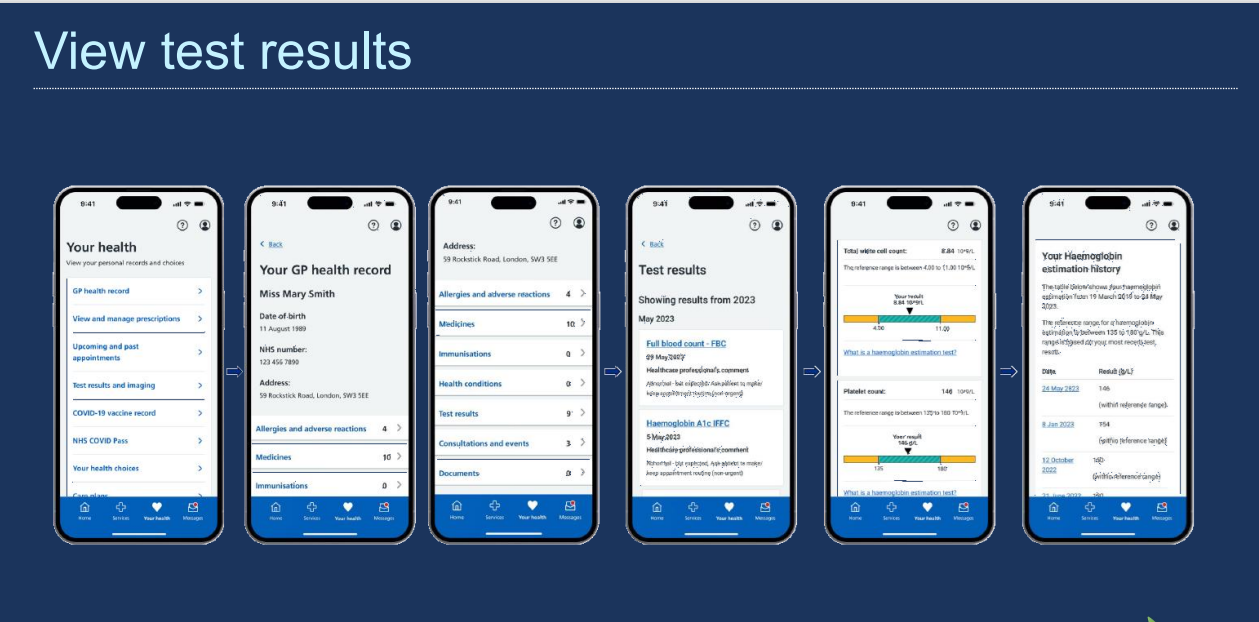
- View test results
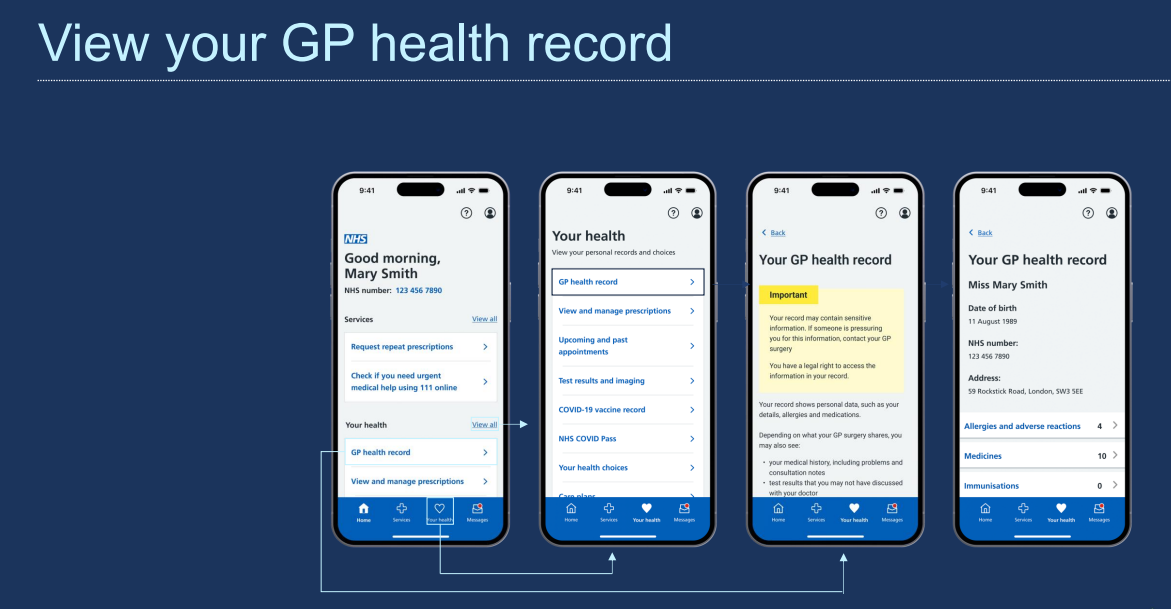
- View your GP health record to see information like your allergies and medicines (if your GP has given you access to your detailed medical record, you can also see information like test results)
- Book and manage coronavirus (COVID-19) vaccinations
- Register your organ donation decision
- Choose how the NHS uses your data
- View your NHS number (find out what your NHS number is)
- Use NHS 111 online to answer questions and get instant advice or medical help near you
Without full access you can:
- Search conditions and treatments
- Find NHS services near you
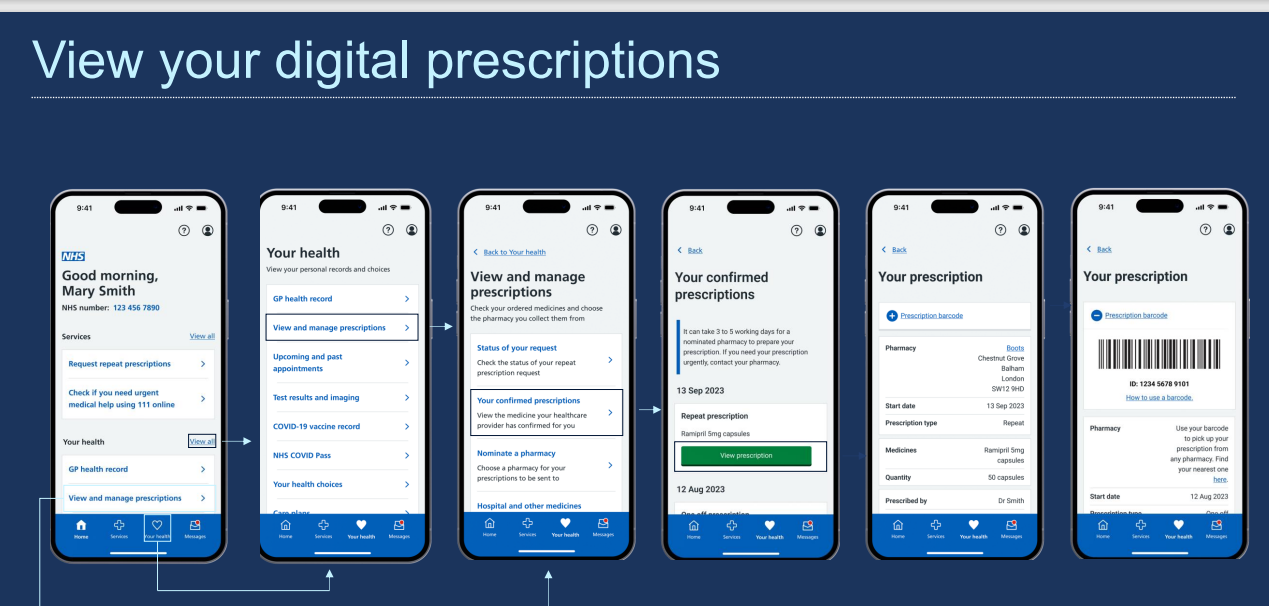
Please find below some examples about how to access different areas of the NHS app:
Patient access
To gain full access to your records, you will need to register for online access.
To register you will need to fill out the access form below and bring it into the surgery with two forms of ID.
